
The useful question is not "Wix or WordPress". It is whether this designer will build you a business asset. Check their own website for the flaws they would sell you a fix for, ask who actually does the work, and match the platform to the business rather than the other way around.
- The better questionNot which platform, but whether it is built as a business asset
- First red flagTheir own website has visible design flaws
- Platform choice mattersIt affects hosting, maintenance, expansion and moving later
- Builder may be enoughSomething simple and quick, testing an idea, no strong SEO need
- Before payingWork through the questions. A professional should answer them readily
Hiring a web designer can feel confusing. Every freelancer, agency and website platform claims to offer professional website design, but the quality behind that phrase varies dramatically.
Some websites look acceptable at first glance. The homepage has nice colours, a few modern sections and a contact form. But once you look deeper, the problems appear: broken pages, unreadable buttons, missing images, weak mobile layouts, poor heading structure, no sitemap, no schema, slow loading, placeholder content, empty template pages and unclear ownership.
For a business owner, these are not minor design mistakes. They affect trust, search visibility, lead generation, conversion rate, future maintenance and the long-term value of the website.
This guide is not about attacking any specific platform or provider. DIY builders such as Wix, Squarespace and similar tools can be genuinely useful in the right situation - for early-stage businesses, personal brands or simple projects that need to get online quickly. The real issue is different:
For businesses in Ipswich, Brisbane and across Queensland, the right website should be more than a nice-looking online brochure. It should be a structured, searchable and maintainable business asset.
The issue is not the platform. It is the standard.
The problem is not that website builders or templates exist. The problem is when a business pays professional web design fees but receives a lightly edited template that has not been planned, structured, tested or built to a professional standard. If you are paying professional fees, what exactly are you receiving - a properly planned business website, or a generic template on a platform that may limit your control later?
The better question to ask
It is easy to turn this into "Wix vs WordPress" or "Squarespace vs custom websites", but that is not the most useful way to think about it. The better question is: is the chosen platform appropriate for the business goal, and has the website been built to a professional standard?
A basic DIY builder may be perfectly fine for a simple landing page, hobby project or early test idea. A professional business website usually needs more:
- Clear content structure and a logical page hierarchy
- A strong mobile experience and fast page loading
- SEO-friendly foundations, proper metadata and clean URLs
- Image optimisation and basic accessibility considerations
- Conversion-focused calls to action
- Secure hosting, maintenance and clear ownership
- Room for future integrations as the business grows
12 red flags to check before hiring a web designer
1. Their own website has visible design flaws
A web designer's own website is not the only way to judge their ability, but it is a useful signal. Look closely. Are buttons readable? Is there enough contrast between text and background? Are sections spaced properly? Does the design feel consistent page to page? Does the mobile version work?
Common issues include white text on a pale button, overlapping sections, text too small on mobile, inconsistent fonts, poor spacing, cropped images, broken layouts and random styles mixed together. A professional website should feel intentional. This does not mean every designer needs an expensive site - it means their own site should demonstrate basic professional standards and quality control.
2. Pages do not load properly
A website that fails to load properly damages trust immediately. Click through their site on desktop and mobile - homepage, service pages, blog posts, portfolio items, contact page and footer links. Watch for pages that hang, broken animations, layouts that jump around, missing sections, buttons that do nothing, forms that fail and slow mobile loading.
Business owners often assume web design is mostly visual. In reality, a website is a technical product. It has to load reliably, behave predictably and guide users toward action. If a designer's own site is unstable, it is fair to ask how carefully they test client websites before launch.
3. Empty template pages are still public
One of the clearest warning signs is unfinished template pages left publicly visible: demo service pages, placeholder blog posts, empty portfolio items, sample team profiles, "lorem ipsum" text, duplicate pages and old staging content indexed by search engines.
This is more serious than it looks. Public empty pages create a poor user experience, weaken trust and confuse search engines. They also suggest the website was not cleaned up before going live. A professional launch process includes a pre-launch checklist, broken-link check, image check, mobile review, metadata review, sitemap check and removal of unused template content.
4. The website has missing images or broken links
Missing images and broken links make a website feel abandoned and interrupt the customer journey. If a visitor clicks a service link and lands on a broken page, they rarely report it - they simply leave and choose another provider. Check for broken menu and footer links, portfolio items that do not open, image placeholders, missing icons, buttons that do nothing and social links pointing to the wrong place. Basic website hygiene affects credibility, not just technical tidiness.
5. There is no clear sitemap or page structure
A good website is not just a collection of nice-looking sections - it needs a clear structure. For most service businesses that means a homepage, an about page, individual service pages, location or service-area content where appropriate, a contact page, case studies or portfolio, a blog, FAQ content, a privacy policy and a sitemap, with clear internal links between related pages.
Weak structure often creates SEO problems. If everything is squeezed onto one generic "services" page, Google may struggle to understand the specific services, locations and expertise of the business. A business offering web design, branding, SEO and custom integrations should give each important service enough structure and context to be understood.
6. The SEO foundations are weak or missing
A website can look polished and still be invisible. SEO is not only blog posts and backlinks - it starts with the technical and structural foundation. Before hiring, ask whether the build includes SEO foundations such as page titles, meta descriptions, a clean heading hierarchy, image alt text, an XML sitemap, schema markup where appropriate, internal linking, mobile optimisation, fast loading, clean URLs, Google Search Console setup and analytics.
Be careful with vague phrases such as "SEO-friendly website". Ask what that actually includes. A properly built site gives search engines a clear understanding of what the business does, who it serves, where it operates and why it is credible. Without that foundation, the website may need expensive rework later.

7. The design relies too heavily on a generic template
Templates are not always bad - they can be useful starting points. The problem is when the finished website still feels generic. A local electrician, medical clinic, accountant, furniture retailer, NDIS provider and consultant should not all have the same structure with different photos dropped in.
A proper business website reflects the customer journey, the type of enquiry the business wants, the trust signals customers need, the local service area and the brand personality. If a website could belong to almost any business by swapping the logo, it has not been designed deeply enough.
8. The platform creates long-term lock-in
Hosted builders are convenient - hosting, templates and editing tools in one place. That convenience can also create lock-in. Before committing, ask: can I move the website to another host? Can I access the full files and database? Can another developer work on it easily? What happens if I cancel the subscription? Can I export all content, images and products? Can the site support custom integrations?
For simple websites these limits may not matter. For growing businesses they can become expensive. The cheapest website at the start is not always the cheapest over three to five years. A website should be selected on business fit, not only launch cost.
9. The website cannot support custom business workflows
Many businesses start with a basic website, then later need more: booking systems, quote request flows, CRM integration, customer or supplier portals, product feeds, API integrations, payment workflows, reporting dashboards or custom internal tools.
A simple template site may be enough at the start, but it can become restrictive as the business grows. This is where WordPress, custom development and properly planned integrations offer more flexibility. The goal is not to make the website complicated - it is to avoid building the business into a corner. A good designer can explain not only what your website needs now, but what it may need later.
10. The mobile experience has not been properly checked
For many businesses, mobile is the main website experience. A site can look impressive on a desktop monitor and still fail badly on a phone. Check for text that is too small, buttons too close together, menus that are hard to use, forms that are difficult to complete, images cropping badly, sections stacking in the wrong order, calls to action hidden too low and slow loading on mobile data. Mobile design is not simply "shrinking the desktop version" - it requires proper testing and adjustment. If the mobile experience is poor, business owners lose enquiries without knowing why.
11. The website content sounds generic
Many weak websites lean on generic wording: "we provide quality solutions", "your trusted partner", "we help businesses grow", "professional services tailored to your needs". These phrases are not always wrong, but they are usually too vague. Strong content clearly explains what the business does, who it helps, where it operates, what problems it solves, what makes it credible and what the visitor should do next. Good content helps both users and search engines. A site with weak copy can look professional and still fail to convert.
12. There is no clear ownership discussion
Before starting a project, you should understand what you will own at the end. Ask: do I own the content and the design? Do I have full admin access? Can I choose my own hosting? Can I move the website later? Can another developer maintain it? Are there ongoing monthly fees, and what is included? What happens if I stop working with you? Will I receive analytics, search data and documentation?
A professional provider is transparent about ownership, access, hosting and ongoing costs. If the answer is unclear, pause before paying. Your website should be an asset for your business, not something you are trapped inside.
Website builder vs template build vs custom or WordPress website
The right option depends on the business. Not every business needs a custom website. Not every business needs WordPress. The problem is when the solution does not match the goal. For a full, side-by-side breakdown of every option, see our website platform comparison guide.
| Option | Best for | Strengths | Risks |
|---|---|---|---|
| DIY website builder | Simple starter sites, temporary pages, very small budgets | Fast setup, simple editing, hosted platform | Limited ownership, platform dependency, export limits, generic design, scaling restrictions |
| Template-based agency build | Low-cost brochure sites with basic needs | Faster turnaround, lower initial cost | May lack strategy, can look generic, weaker SEO structure, harder to customise later |
| WordPress website | Service businesses, content-driven and SEO-focused sites, scalable builds | Flexible, portable, large ecosystem, strong content control, hosting choice | Needs proper setup, maintenance, security and quality control |
| Custom-built website | Businesses needing unique workflows, integrations or specific functionality | Maximum flexibility, tailored structure, clean architecture, integration-ready | Higher planning requirement, may cost more upfront, needs experienced development |
The best website is not always the most expensive one. It is the one that fits the business, the budget, the growth plan and the level of control required.
Why platform choice matters for SEO and conversion
A website platform is not just an editing tool. It affects how the site can be hosted, maintained, expanded, moved and integrated later. The wrong platform can create hidden costs - rebuilding sooner than expected, ongoing platform fees, lost design flexibility, difficulty moving content, limited SEO control and dependence on one ecosystem.
On SEO: search engines need to understand your website, and weak structure makes that harder. A business trying to rank for web design in Ipswich or web design in Brisbane needs more than a homepage saying "we build websites". The site should clearly explain the services offered, the locations served, the clients helped, the process and the proof of work. SEO does not start after launch - it should be considered during planning, structure, design, copywriting and development.
On conversion: a website can receive traffic and still fail to generate enquiries. Common conversion problems include no clear call to action, weak service explanation, poor mobile forms, slow pages, generic copy, no trust signals, confusing navigation and no clear next step. Good design helps a visitor decide: am I in the right place, does this business understand my problem, can they help someone like me, and what should I do next? Design is part of the sales process, not just decoration.
Questions to ask before hiring a web designer
Before paying for a website, work through these questions. The answers will tell you a lot - a professional designer should be able to explain the reasoning behind the build, not just show you a mockup.
- What platform will you build on, and why is it right for my business?
- Can I choose my own hosting and move the site later?
- Will I have full admin access and own everything at the end?
- What happens if I stop working with you?
- Will the site have a proper sitemap and clean URLs?
- Will titles, meta descriptions and headings be set properly?
- Will images have alt text and will schema be considered?
- Will Search Console, analytics and indexing be set up?
- Will the site be designed around my business or adapted from a template?
- Will the copy be written specifically for my services?
- Will the mobile experience be checked carefully?
- Will calls to action and trust signals be planned?
- Will the site be tested, with links and forms checked before launch?
- Will page speed, security and backups be handled?
- Can it support more pages, blog content and integrations later?
- Can another developer work on it if required?
When each option is the right fit
A website builder may be enough when you need something simple and quick, are testing an idea, do not need strong SEO or custom functionality, are comfortable with platform limits and ongoing fees, and do not need full portability. There is nothing wrong with choosing a simple tool for a simple job. The issue is expectation - if you knowingly use a hosted builder for convenience, that is a valid decision. If you believe you are buying a fully custom, portable, scalable business website but receive a restricted template build, that is a problem.
WordPress may be the better fit when the business needs strong content control, a blog or resource section, an SEO-focused page structure, flexible service and local landing pages, custom forms, integrations, ecommerce options, hosting choice and developer access. WordPress still needs to be built properly - a poor WordPress website can be just as bad as a poor site on any platform. The value comes from the planning, structure, design, development, content and maintenance behind it, including ongoing speed optimisation.
A custom build may be the better fit when the business needs something more specific than a standard brochure site - custom quoting systems, internal tools, customer dashboards, supplier portals, product data workflows, API integrations, automated reporting or unique user journeys. A custom website should not be used just to sound impressive; it should be used when it solves a real business problem. If your current site is mostly working, a website redesign may achieve the goal without a full rebuild.
A simple website quality checklist
Use this to review your current website or a designer's portfolio. If several areas are weak, the site may need a quality review.
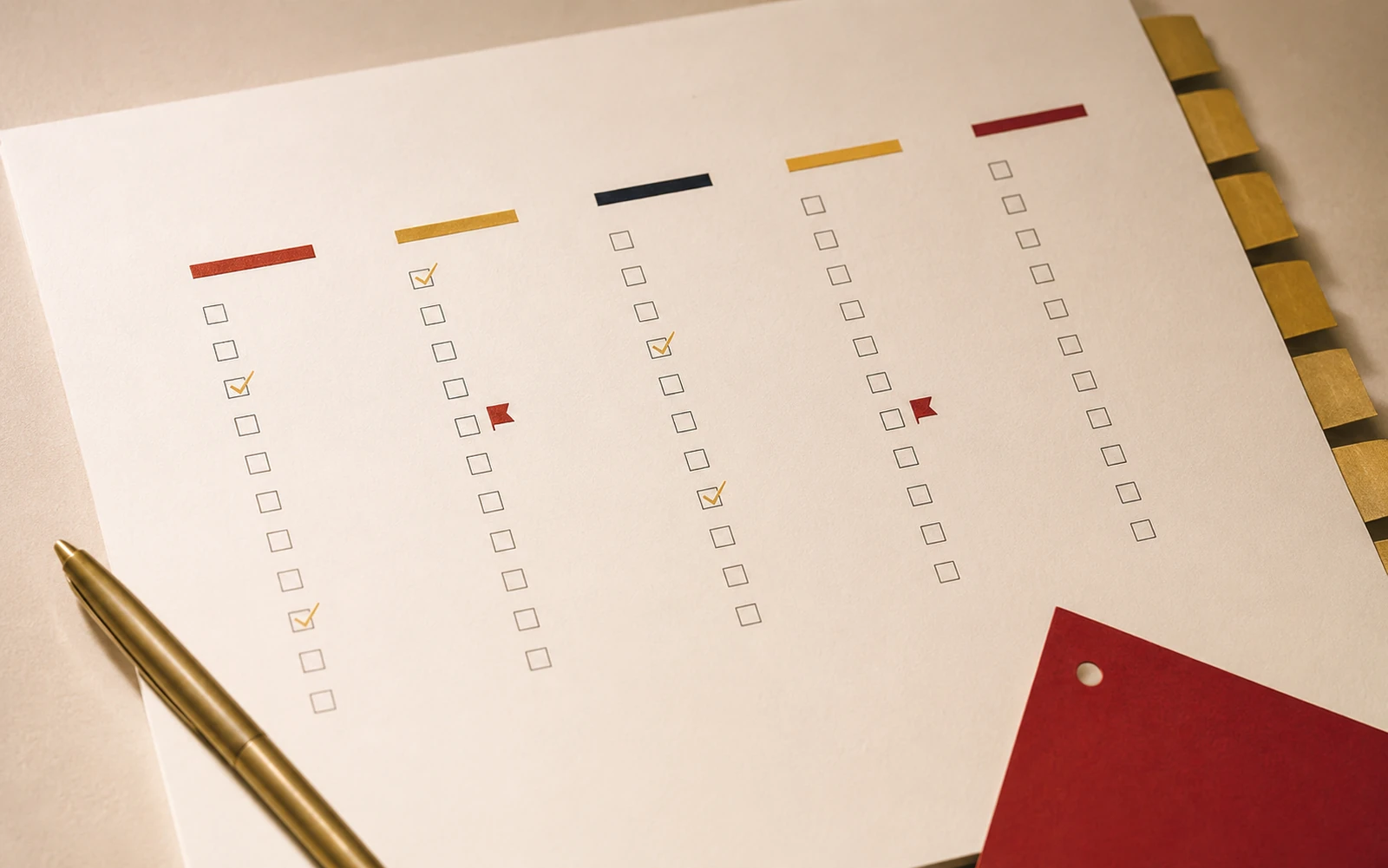
Visually consistent? Buttons readable? Spacing clean? Fonts consistent? Suitable for the business? Professional on mobile?
Messaging specific? Services clearly explained? Location clear? Trust signals present? A clear next step? Copy human and useful?
Pages load properly? Any broken links or missing images? Forms working? Site secure? Mobile performance acceptable?
Unique page titles? Meta descriptions written? Logical headings? A sitemap? Schema where appropriate? Important services on their own pages?
Do you know who owns the site? Have admin access? Can you choose hosting and move it? Are ongoing costs and maintenance clear?
A cheap website becomes expensive if it is rebuilt too soon - lost leads, SEO fixes, rewritten copy, replaced images and platform migration all add up.
What we believe at Lovely Pixel
We believe a website should be built as a business asset: planned around your goals, designed around your audience, structured for search engines and users, built on clean technical foundations, easy to maintain, clear about ownership, flexible enough to grow and focused on enquiries rather than appearance alone.
We do not believe every business needs the same type of website. Some need a focused WordPress build. Some need a custom site. Some need a redesign of an existing one. Some need SEO foundations fixed before anything else. Some need automation or integrations that connect their website to the rest of their business. The right approach starts with understanding the business - so do not only ask "how much does a website cost?". Ask "what am I actually getting, and will it support my business properly?" A good website is not a disposable template; it is part of your business infrastructure.
Not sure if your website was built properly?
Lovely Pixel can review your website's design, mobile experience, SEO structure, sitemap, schema, page speed, platform setup and ownership limitations - then explain what is working, what is holding the site back and what to improve first. Whether you are on WordPress, a DIY builder, a template platform or a custom setup, we can help you understand where it stands.
Frequently asked questions
No. Wix can be suitable for simple websites, early-stage businesses, temporary landing pages or owners who want an easy hosted builder. The real question is whether it fits your business goals. If you need strong portability, custom functionality, advanced SEO structure, complex integrations or long-term flexibility, a properly built WordPress website or a custom build may be more suitable.
Squarespace can work well for visually simple websites, portfolios and small brochure-style sites. It becomes less suitable when a business needs deeper customisation, advanced integrations, full portability or highly specific technical control. The right choice depends on the business model, budget and growth plan.
WordPress is not automatically better for every business. However, it can offer more flexibility, content control, hosting choice, SEO scalability and development freedom when it is built properly. A poorly built WordPress website can still perform badly, so the quality of planning and implementation matters more than the platform name.
Ask what platform will be used and why it suits your business, what you will own at the end, whether the site can be moved later, what SEO foundations are included, whether mobile will be tested, whether schema and sitemap setup are included, and what ongoing costs apply.
Common signs include broken links, missing images, slow loading, poor mobile layout, unreadable buttons, inconsistent design, public placeholder pages, weak page titles, missing metadata, no sitemap, poor content structure and unclear calls to action.
Ownership matters because your website should be a long-term business asset. If you cannot move it, access it properly, choose your hosting or work with another developer later, you may be locked into one provider or platform. That can create unnecessary cost and risk down the track.
Templates do not automatically hurt SEO. The problem is when template websites are launched with thin content, poor heading structure, duplicate sections, slow performance, missing metadata, unused pages or no clear service structure. SEO depends on how the website is planned, built and maintained, not on whether a template was used as a starting point.
Yes. Lovely Pixel can review your existing website’s design, mobile experience, technical setup, SEO foundations, sitemap, schema, platform limitations and conversion issues. The goal is to identify what is working, what is holding the site back and what should be improved first. Request a website quality review to get started.